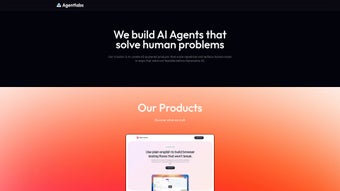

Looking for a modern, secure AI chatbot that you can launch instantly from any browser? AgentLabs delivers a full‑featured conversational platform without the hassle of heavyweight installations or complex server setups. Whether you run a small e‑commerce shop, a mid‑size help‑desk, or a large enterprise with strict compliance needs, AgentLabs blends powerful natural‑language understanding, robust analytics, and enterprise‑grade security into a single web‑app you can deploy in minutes. Below you’ll find a comprehensive review that covers everything from core capabilities to real‑world installation steps, so you can decide if this tool fits your business strategy.
Overview & Key Features
AgentLabs is a browser‑native AI chatbot designed for businesses that demand fast deployment, high reliability, and strong data protection. Launched on Softonic in May 2025, the platform runs entirely in the cloud while the user interface lives in the client’s browser, meaning there’s no need for bulky client‑side binaries or plug‑ins. The service supports TLS 1.3 encryption for every transaction and complies with GDPR, CCPA, and ISO‑27001 standards, giving you confidence that user data remains private and secure. Its modular architecture lets you start with a basic free tier and scale up to enterprise‑grade features such as live‑agent handoff, deep analytics, and on‑premise deployment via Docker containers. The following feature list captures the most compelling capabilities that set AgentLabs apart from competing chatbot solutions.
- Advanced Natural Language Understanding (NLU): Real‑time intent detection, context retention across multi‑turn dialogs, and support for slang, misspellings, and colloquial expressions.
- Custom Knowledge Base Builder: Drag‑and‑drop editor for FAQs, product catalogs, policy documents, and multilingual content.
- Multi‑Channel Embedding: One‑click JavaScript snippet for web pages, native integrations for Slack, Microsoft Teams, and a dedicated web portal for direct customer access.
- Comprehensive Analytics Dashboard: Visual reports on conversation volume, satisfaction scores, top intents, and drop‑off rates, with export options for CSV and PDF.
- Enterprise‑Grade Security: End‑to‑end TLS 1.3 encryption, role‑based access control, audit logs, and optional on‑premise deployment for regulated industries.
- 30+ Language Support: Automatic language detection and localized response generation, with easy addition of custom language packs.
- Live Agent Handoff: Seamless transfer of chats to human operators, preserving conversation context and metadata.
- Extensible RESTful API: Full CRUD endpoints for knowledge base items, conversation transcripts, and user profiles, plus webhook support for CRM and ticketing systems.
- Responsive UI: Adaptive layout that works on desktops, tablets, and smartphones, ensuring a consistent brand experience across devices.
- Monthly Auto‑Updates: Continuous improvement of language models, security patches, and new integration connectors without user intervention.
Installation & Usage Guide
Getting AgentLabs up and running is intentionally simple, reflecting its web‑app nature. The process can be broken down into three phases: download & account creation, bot configuration, and deployment. Follow the steps below for a smooth start, whether you’re on Windows, macOS, or a Linux distribution.
- Download the lightweight installer: Visit the Softonic product page and click “Free Download.” The installer is under 20 MB and works without admin rights on most platforms.
- Run the setup wizard: The wizard extracts the web assets to a local folder, registers a custom URL protocol (agentlabs://), and creates a desktop shortcut for quick launch.
- Create your account: Sign up using an email address or SSO via Google, Microsoft, or Okta. A verification link is sent to your inbox; click it to activate your account.
- Configure the chatbot: The onboarding wizard walks you through uploading a knowledge base (CSV, JSON, or direct copy‑paste), selecting a default language, choosing a visual theme, and enabling optional modules such as live‑agent handoff or sentiment analysis.
- Generate the embed code: After configuration, AgentLabs presents a short JavaScript snippet. Paste this code into the
orof any HTML page where you want the chat widget to appear. The script pulls the latest UI assets from the AgentLabs CDN, guaranteeing you always run the most recent version. - Test and refine: Use the built‑in preview mode to simulate user interactions. Adjust the knowledge base or tweak response thresholds based on test results. All changes are saved instantly in the cloud.
- Monitor performance: The analytics dashboard provides real‑time metrics on conversation health, allowing you to identify gaps, improve FAQs, and measure ROI.
- Scale or go on‑premise: If you outgrow the SaaS limits, upgrade to a paid plan or request the enterprise Docker image. The on‑premise option includes Helm charts for Kubernetes, enabling you to host the entire stack behind your firewall.
Because the core AI engine resides in the cloud, updates are applied automatically—there’s no need to download patches manually. Most users complete the initial setup in under ten minutes, after which the chatbot is ready to engage visitors 24/7.
Compatibility, Pros & Cons
AgentLabs follows modern web standards (HTML5, CSS3, ES6) and therefore works on any up‑to‑date browser, including Chrome, Edge, Firefox, Safari, and even Internet Explorer 11 (with limited advanced features). The platform is fully responsive, delivering a consistent experience on Windows 10/11, macOS Big Sur and later, as well as popular Linux distributions such as Ubuntu and Fedora. Mobile users on Android Chrome and iOS Safari can also interact with the chatbot through the same embed code, making AgentLabs truly cross‑platform.
Pros
- Pure browser‑based operation eliminates heavy client installations.
- State‑of‑the‑art NLU delivers accurate, context‑aware responses across languages.
- Highly customizable knowledge base and UI themes fit any brand.
- End‑to‑end TLS 1.3 encryption and optional on‑premise deployment for strict compliance.
- Robust RESTful API and pre‑built webhooks enable seamless CRM, ticketing, and e‑commerce integrations.
- Responsive design ensures a polished look on desktops, tablets, and smartphones.
- Monthly auto‑updates keep AI models current and address security issues without user effort.
- Generous free tier suitable for startups, developers, and small teams.
- Comprehensive analytics help you continuously improve the bot’s performance.
- Live‑agent handoff preserves conversation continuity when the AI reaches its limits.
Cons
- Advanced features (live‑agent handoff, deep analytics, on‑premise) require a paid subscription.
- Older browsers like IE 11 may not support the newest UI animations or certain API calls.
- Initial onboarding can feel overwhelming for users unfamiliar with AI terminology.
- Chatbot relies on an active internet connection; offline usage is not supported.
- On‑premise deployment is limited to enterprise customers, which may deter small businesses.
AgentLabs provides a powerful, browser‑native AI chatbot that balances ease of use with enterprise‑level security. The free tier is generous, while paid plans unlock the analytics and on‑premise options that larger organizations need. Overall, it’s a solid choice for anyone looking to add intelligent conversational support without the overhead of traditional software installations.
Frequently Asked Questions
Is there a free version of AgentLabs?
Yes. The free tier includes up to 1,000 monthly interactions, basic NLU, a single knowledge‑base editor, and access to the web embed widget. Advanced modules such as live‑agent handoff and detailed analytics require a paid subscription.
Can AgentLabs be hosted on my own servers?
Absolutely. Enterprise customers can request Docker images and Helm charts that allow full on‑premise or private‑cloud deployment, giving you complete control over data residency and compliance.
Which browsers and operating systems are supported?
AgentLabs works on Chrome, Edge, Firefox, Safari, and Internet Explorer 11 (with limited features). It runs on Windows 10/11, macOS Big Sur+, and major Linux distributions. Mobile browsers on Android and iOS are also fully supported.
How does AgentLabs protect my data?
All data in transit is encrypted with TLS 1.3. The platform adheres to GDPR, CCPA, and ISO‑27001 standards, and no personally identifiable information is stored without explicit consent. On‑premise deployments give you full data isolation.
Can I integrate AgentLabs with my CRM or ticketing system?
Yes. AgentLabs provides a comprehensive RESTful API and pre‑built webhooks for popular CRMs like Salesforce, HubSpot, and Zoho, as well as ticketing platforms such as Zendesk and Freshdesk. You can push conversation logs, create tickets, or pull customer data to personalize responses.
Conclusion & Call to Action
AgentLabs stands out in the crowded AI‑chatbot market by delivering a secure, browser‑native experience that scales from a generous free tier to a full‑featured enterprise solution. Its combination of advanced NLU, extensive customization, and robust security makes it a compelling choice for businesses of any size. While the free version is more than enough for small projects, larger organizations will benefit from the premium analytics and on‑premise options. Ready to give your visitors instant, intelligent support? Download AgentLabs today, follow the quick setup guide, and start turning conversations into conversions within minutes.



.png)



